What changes
A way in for somebody new. Your club’s page used to offer a sign-in and nothing else. Where your club collects its subs here, on a club plan, it now has a Join the club button.
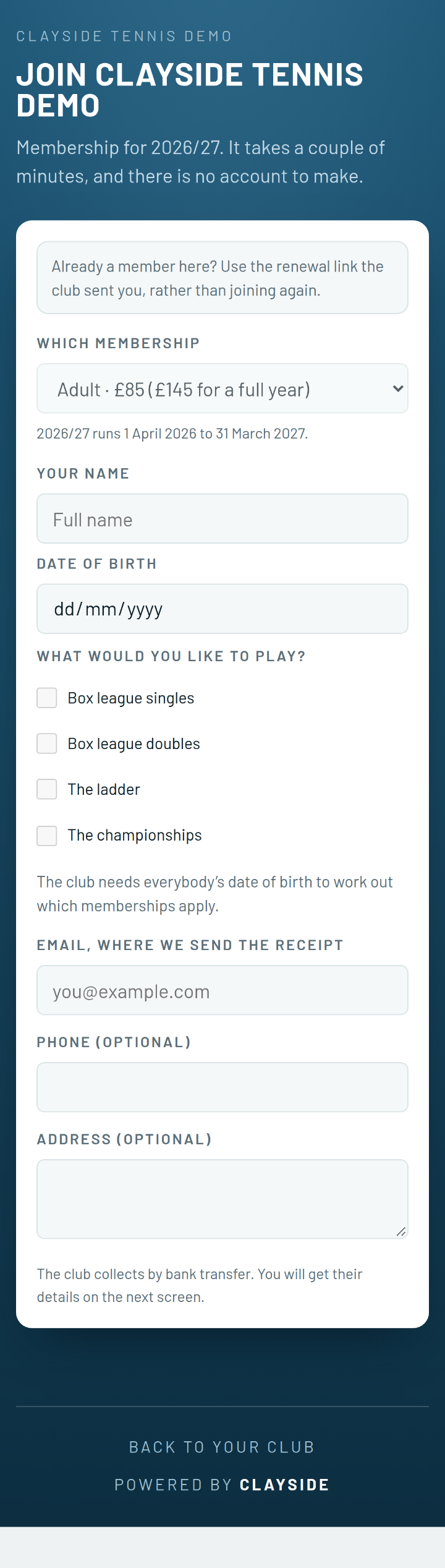
They join and pay in one go. They pick from your categories and prices, say who is joining, and set up the Direct Debit. A family applies once. The same form is behind your joining link, which names nobody and is safe on a poster.
It waits for you. Each application sits at the top of the Money screen, under Waiting for you. A stranger typed it, so the club decides. The row shows anything not settled yet, such as a transfer they say they made or an email not confirmed.
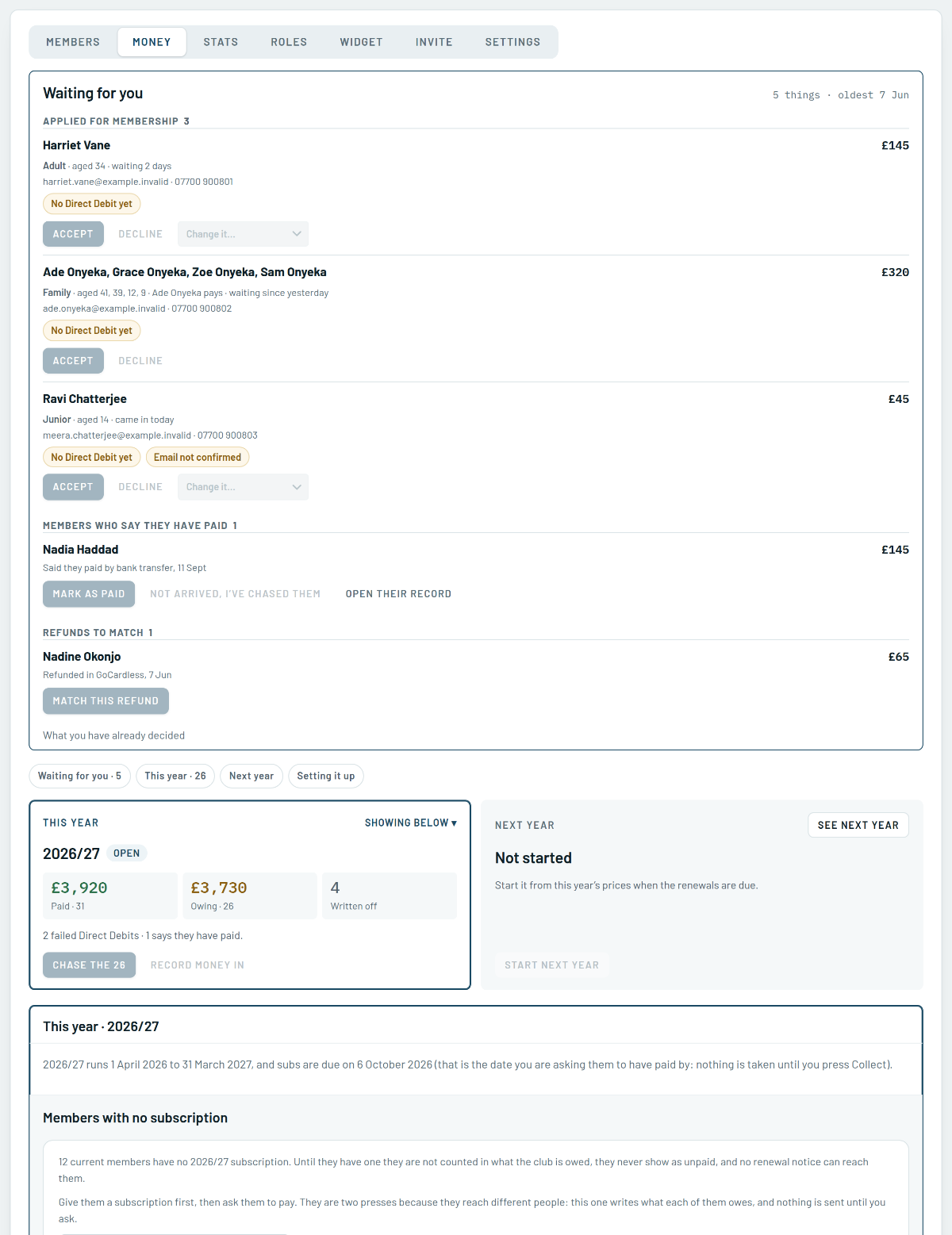
Put it right, then say yes. If they picked the wrong membership, Change it moves them first, priced for the day they applied. Accept, and they are members. Decline cancels any Direct Debit they set up. They are not told, so if they should hear from anybody, it is you.
Nobody is entered twice. When you accept, each name is set against your register. Say it is somebody you already have, and the application is linked to their record rather than making a second one.
Looking back. What you have already decided, under the queue, lists every application you accepted or declined.
Where to find it
The button appears on your club’s page once you have a membership year open with prices in it. Applications wait under Club, then Money, and the joining link is under Club, then Invite.