What changes
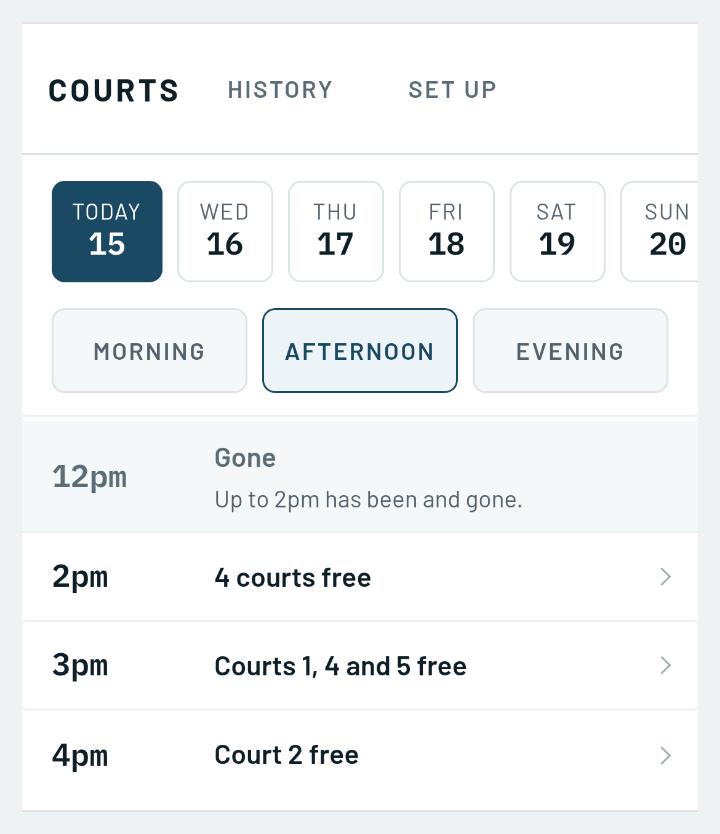
Three taps to a court. Pick the day, pick a start time, and check one screen. You do not choose a court first. The first free court is chosen for you, and any other free one is a tap away.
The sheet says what the court is for. A member can mark a booking as a league, ladder or tournament match and pick which one. Their opponent is told where they are playing, and the sheet shows the match rather than one name. A league match does not count against how many courts a member may hold.
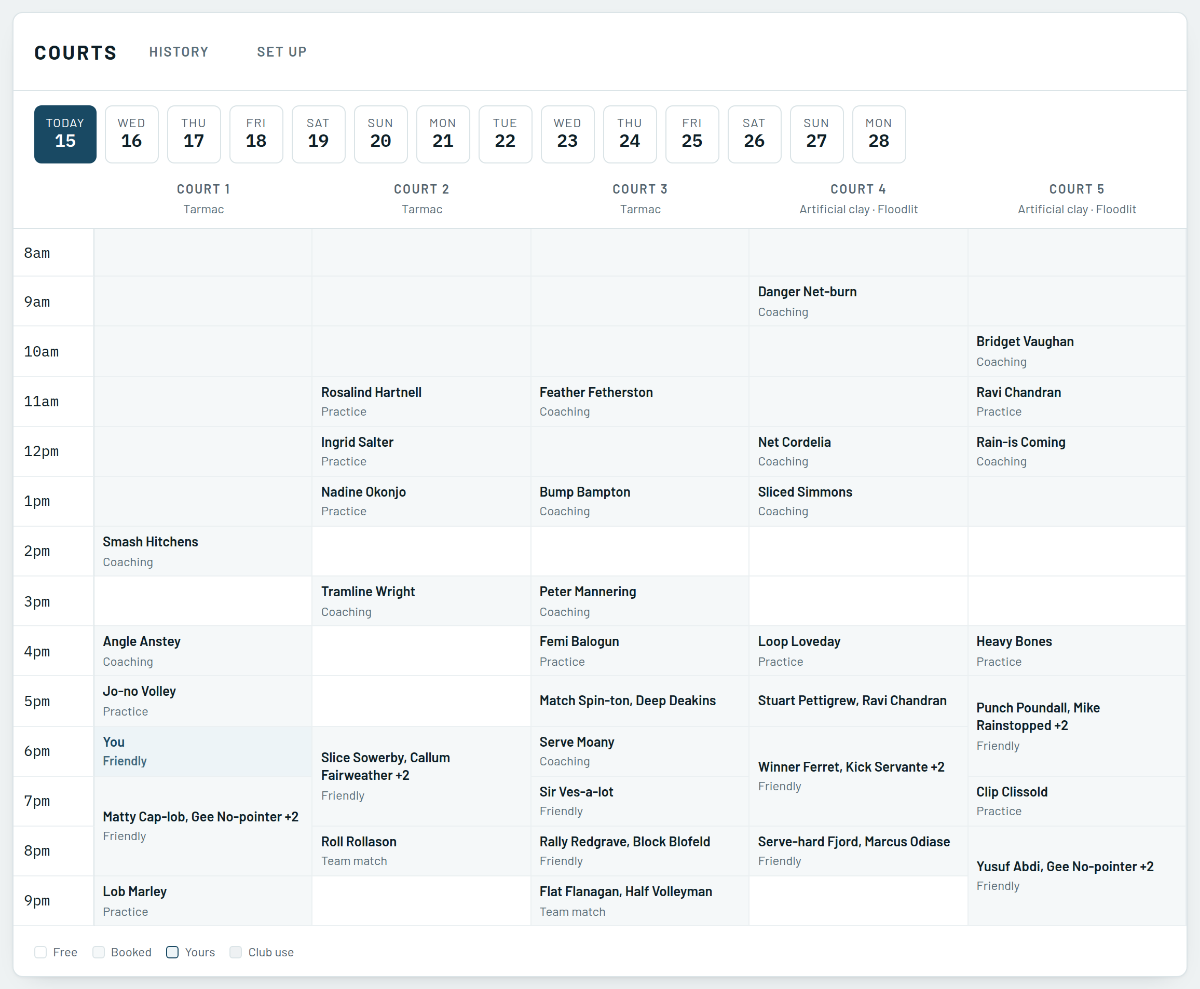
Names on a booking, not invitations. Doubles, or three of you having a hit? Put their names on it. They are told they are down to play, and there is nothing for them to answer. Nobody hands over a phone number.
An agreed match finds its court. When somebody takes one of the times a member suggested, the member is offered the free courts at that time. One tap books it and both players are told. It never books one on its own.
You set it up once. Name your courts, set the opening hours and peak times, and say how far ahead the sheet goes and how many bookings one member may hold. A change to hours or peak times starts the next day, so nobody already on court is affected.
Club night and coaching without moving anybody. Take out as many courts as you like and name what it is for, and it reads that way on the sheet. If somebody is already on one of them, you get their name and a conversation, and nobody is cancelled.
The committee’s three questions, answered. History shows whether the courts are busy, when they are busy and what is being played on them. It downloads as a spreadsheet with one row per booking, and no phone number or email address in it.
Where to find it
Court booking is on a club plan. Courts is under Book, beside Coaching. Whoever runs the club presses Set up on the Courts screen to name the courts and set the hours, and History sits beside it.