What changes
Your sides, in the app. A team is your club’s side in a competition somebody else runs, like the county league. Teams is on a club plan. The opposition is a name you type, and we never contact the other club.
The fixture list goes in once. Add fixtures takes a paste straight off the league’s email or website, one fixture a line. You see what we made of it before anything is saved. A line we cannot read comes back with its text, so nothing is quietly dropped.
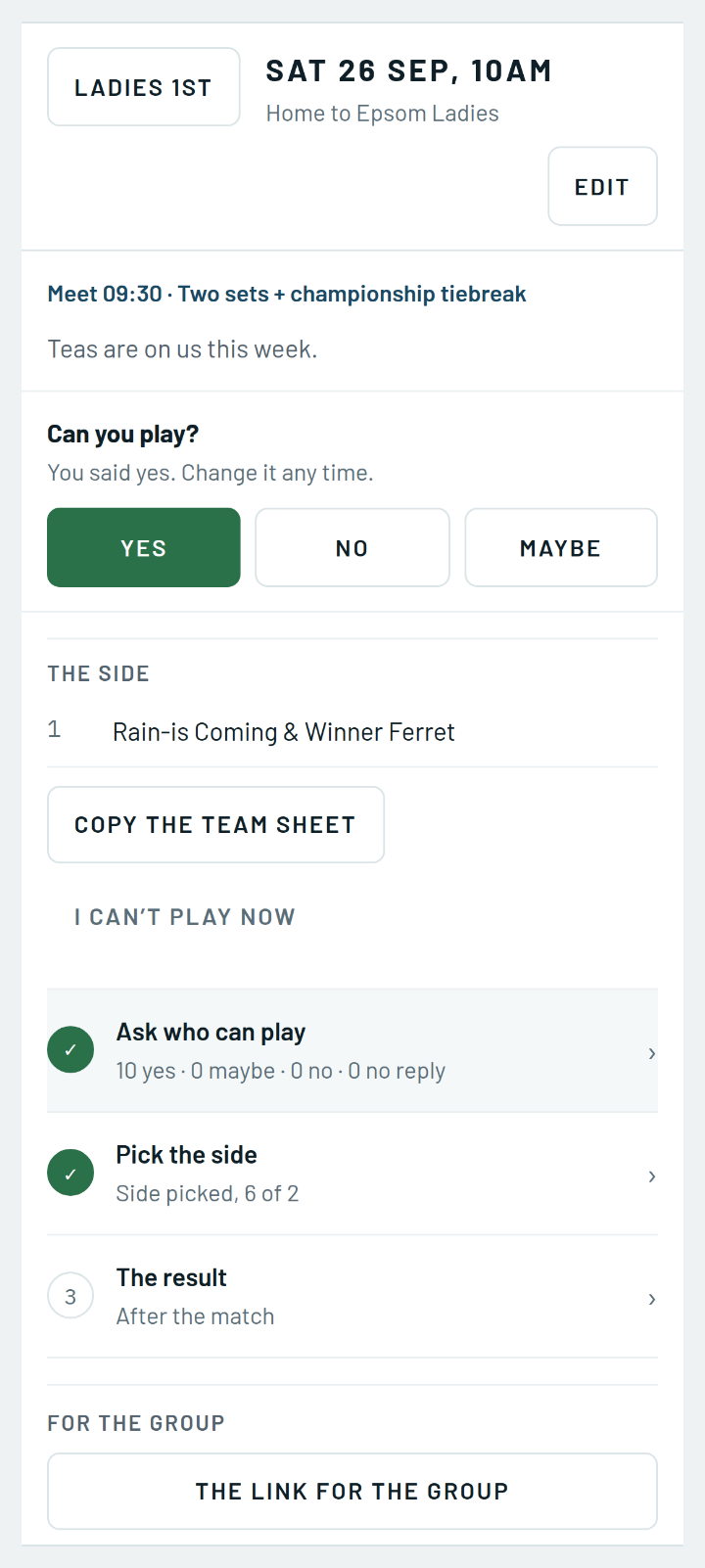
Asking who can play. There is no squad list to keep. Whoever played last time is ticked for the next fixture, and you can tick anybody else in the club. They tap yes, no or maybe in the app, or straight from the email.
Several dates, one question. Three sides out on one Saturday is one message, not three. Ask who can play can cover every fixture date you tick in the coming weeks, and the Answers tab reads them back.
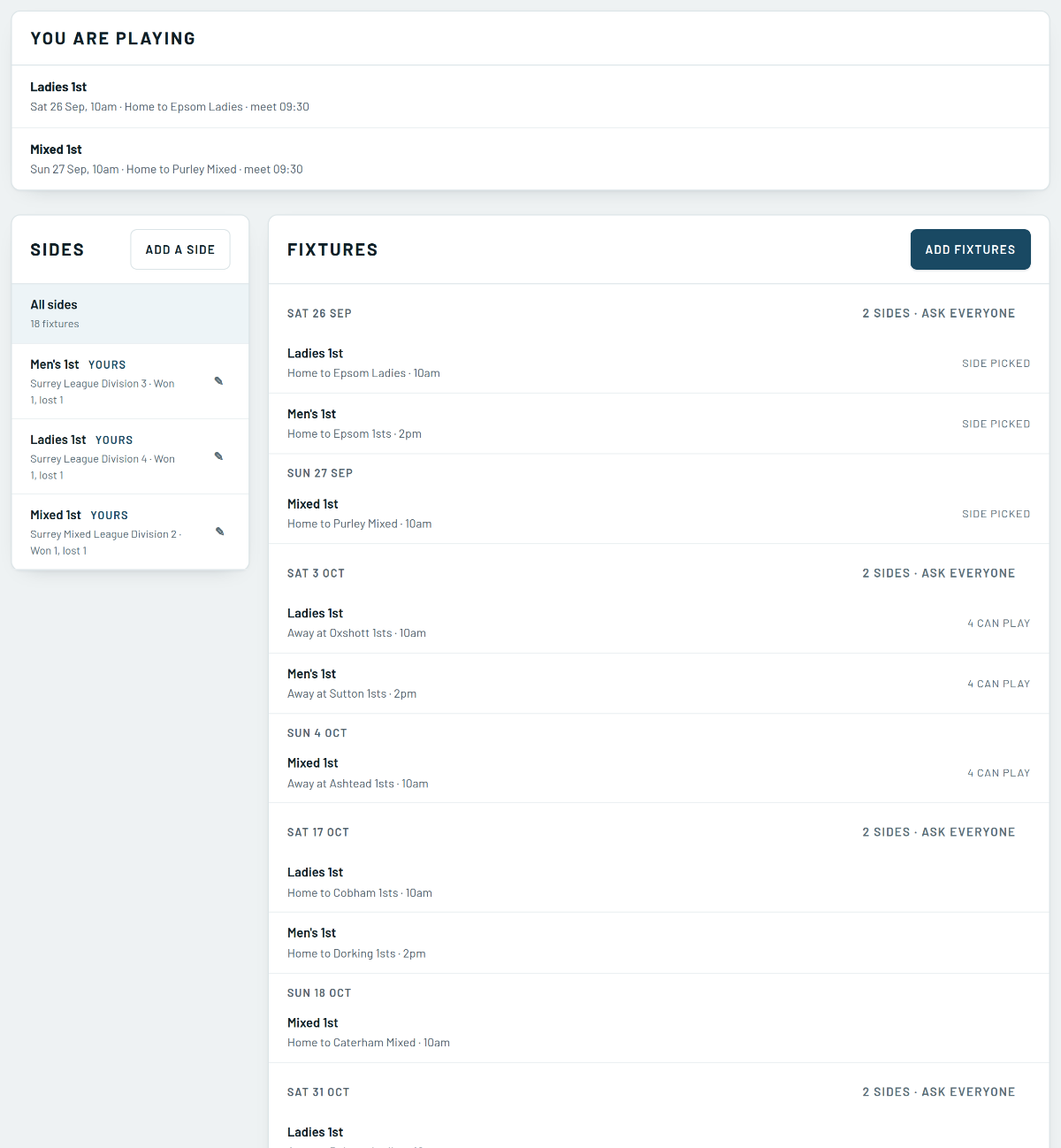
Picking the side. Fill with the strongest yeses puts a side on the sheet, and you move names if you want to. Anybody in the club can be picked, asked or not. Whoever is picked is told, and so is a reserve.
The courts look after themselves. A home fixture holds its courts, named for the match. Move the fixture and they move with it. Nobody who already booked is ever cancelled.
Captains run their own sides. Captain is a job you hand out from Club, then Roles, naming which sides. A captain can find people on the club list but sees nobody’s phone number or email address.
Where to find it
Open Play, then Teams. Hand out the captain job under Club, then Roles.